Invite with a code, QR or link
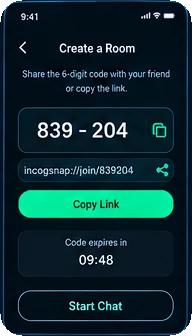
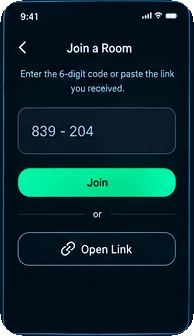
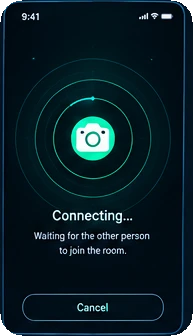
Every room gets a random 6-digit code like 839-204, generated with a cryptographically secure random number generator, plus a QR code. Copy the code or link, send it through your phone’s share sheet, or let a friend scan the QR right from your screen. Unused codes expire after 10 minutes.
2-person or small-group rooms
A 2-person room (the default) closes for both people as soon as one leaves. Group rooms take up to 6 people and show who’s online, like “4/6”. Every pair of devices has its own encrypted channel — no shared group key — so people coming and going never affect the rest.
True end-to-end encryption
Each session creates brand-new X25519 keys that live only in your device’s memory, and content is encrypted with XSalsa20-Poly1305 (NaCl) and sent straight between devices. A session fingerprint lets you and your friend compare codes by eye to rule out anyone in the middle.
Press & hold to view
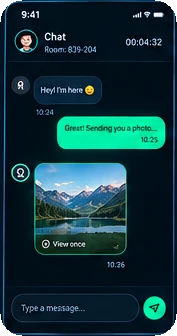
Received messages and photos are hidden by default and appear only while you keep a finger on the screen — let go and they’re hidden instantly. If someone points another camera at your screen, your hand is always covering part of it.
Photos that self-destruct
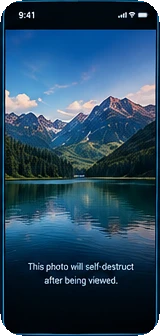
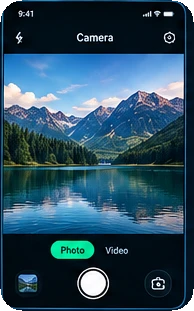
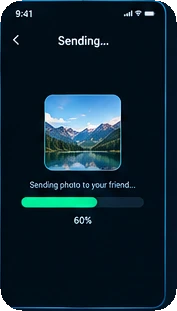
Snap photos inside the app — they’re never saved to your Gallery. You and your friend can view it by holding a finger down, as often as you like during the chat. When the self-destruct timer runs out or the chat ends, it’s overwritten with empty data and permanently deleted.
Short video clips
Record up to 15 seconds of video in the app and send it with the same hold-to-view and self-destruct protection as photos.
Direct video calls
Start a live video call in a 2-person room, with mute, camera on/off and front/rear camera switch. Calls are end-to-end encrypted like messages and don’t pass through any middle server.
Optional AI photo enhance
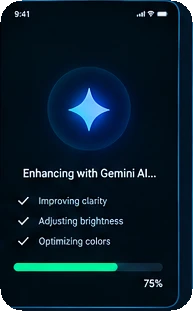
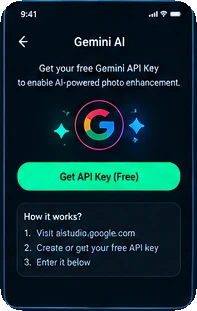
Add your own free Google Gemini API key to beautify photos before sending. The “Natural” style is free; watch a rewarded ad to unlock three more styles (Vivid, Cinematic, Artistic Black & White) with AI Pro for 24 hours. Your key stays encrypted on your device, and chat, photos and video work fully without it.
Screenshot blocking
From the moment you open it, the whole app asks your operating system to block screenshots and screen recording (FLAG_SECURE on Android, the equivalent on iOS) — on every screen, not just when viewing a photo.
Panic Exit
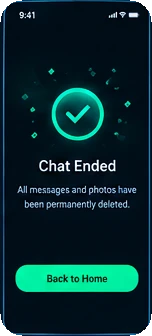
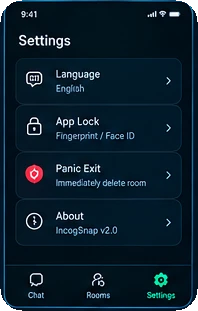
One tap instantly wipes the current room’s data and disconnects — handy when someone is looking over your shoulder. The other people in the room are notified and their copies are wiped too.
Biometric App Lock
Optionally require Face ID, fingerprint or iris (depending on your device) every time the app opens — one more layer if your phone ends up in someone else’s hands.
Room log, without content
The Rooms tab keeps a history on your own device — room code, time and how it ended — so you can keep track. It never stores the text of a message or any photo.